https://agencyg.de Agency Scripts

Agency-Vending

Agency-Vending

$7.00

Add to Basket

━━━━━━━━━━━━━━━━━━━━━━━━━━━

🏪 AGENCY VENDING — Advanced Vending Machine System

━━━━━━━━━━━━━━━━━━━━━━━━━━━

YouTube Showcase

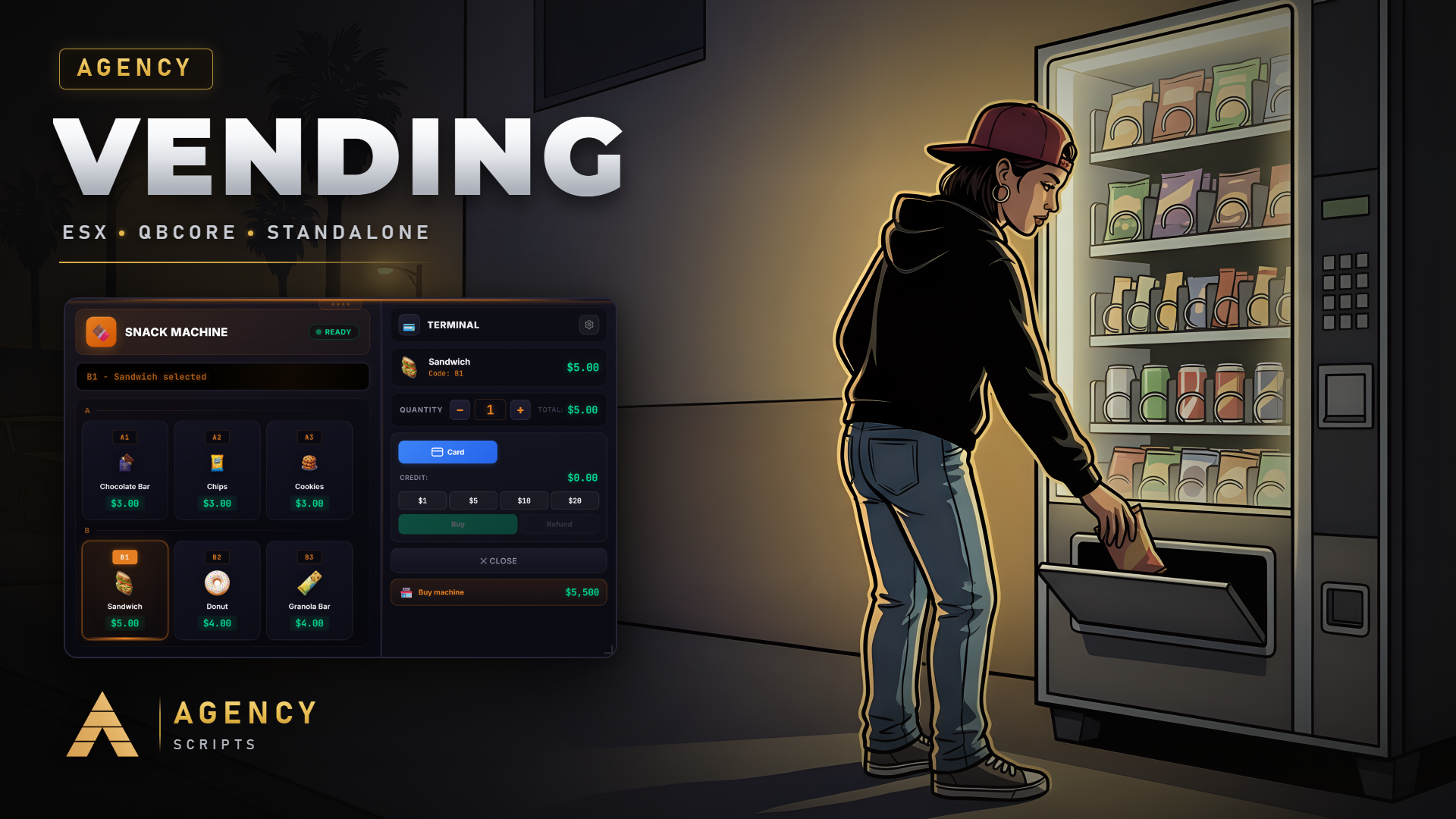
The most advanced vending machine system for FiveM with a modern UI, player ownership, dual payment system, and full customization — ready to use out of the box.


━━━━━━━━━━━━━━━━━━━━━━━━━━━

✨ FEATURES

━━━━━━━━━━━━━━━━━━━━━━━━━━━

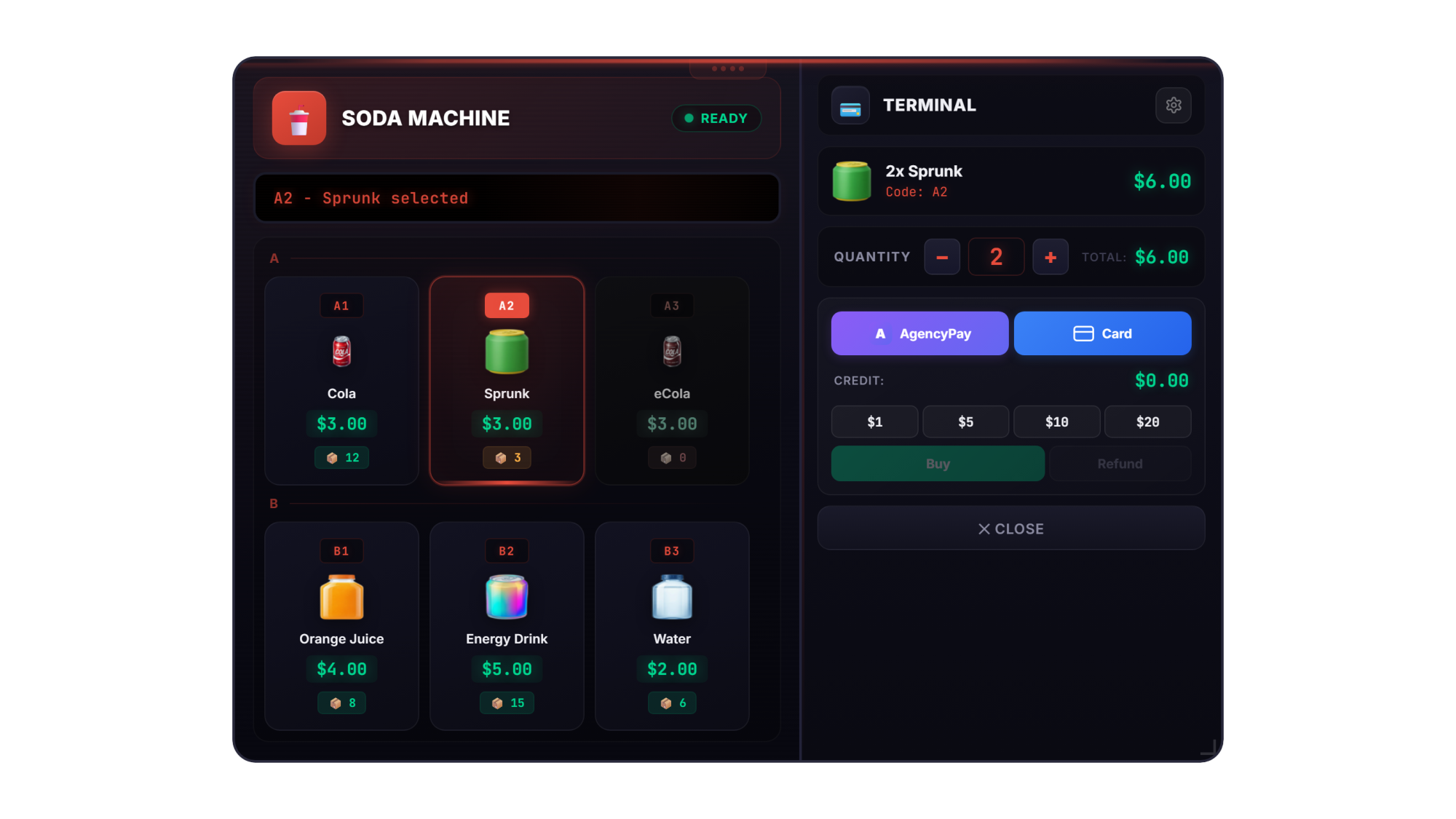
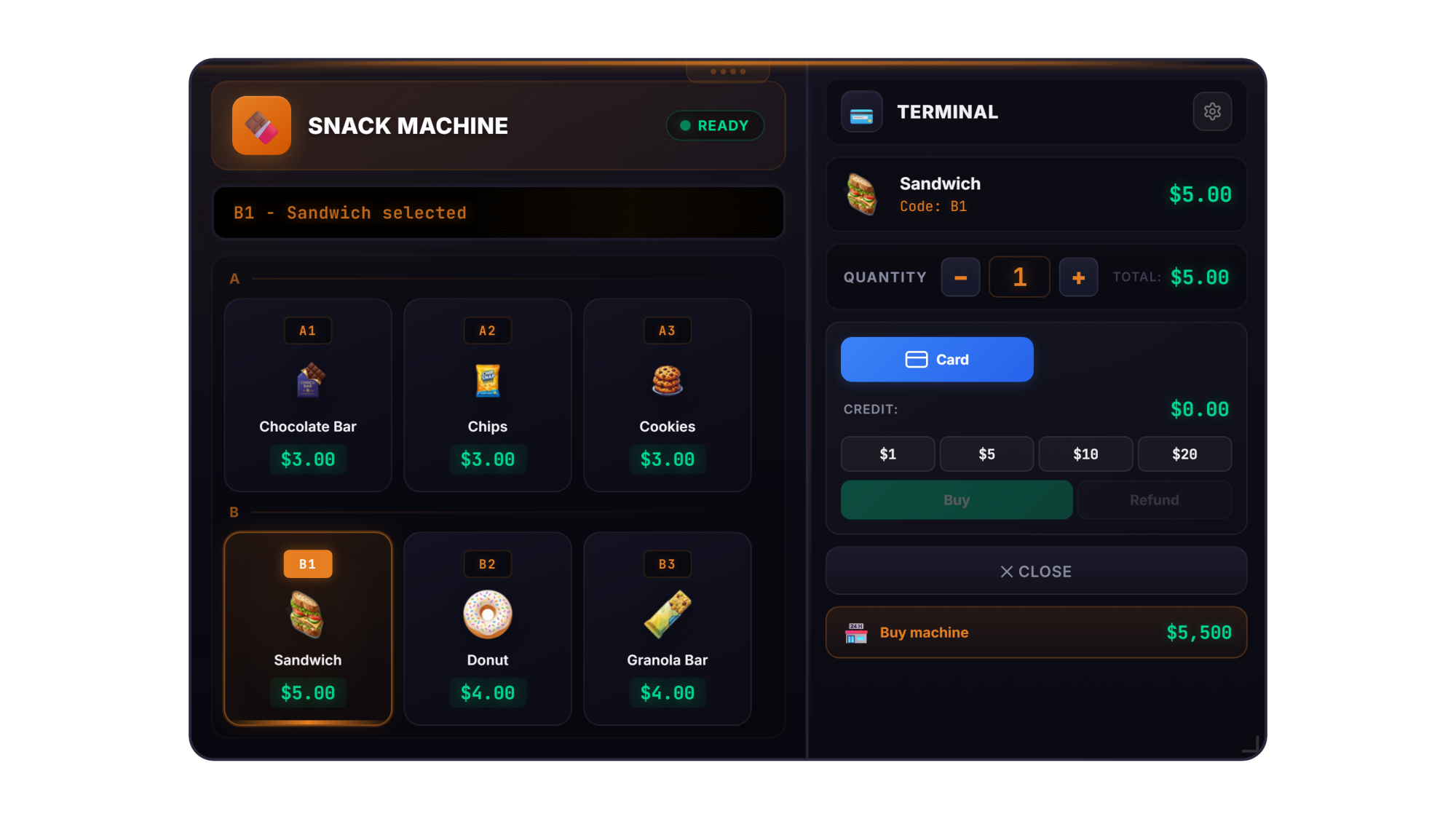
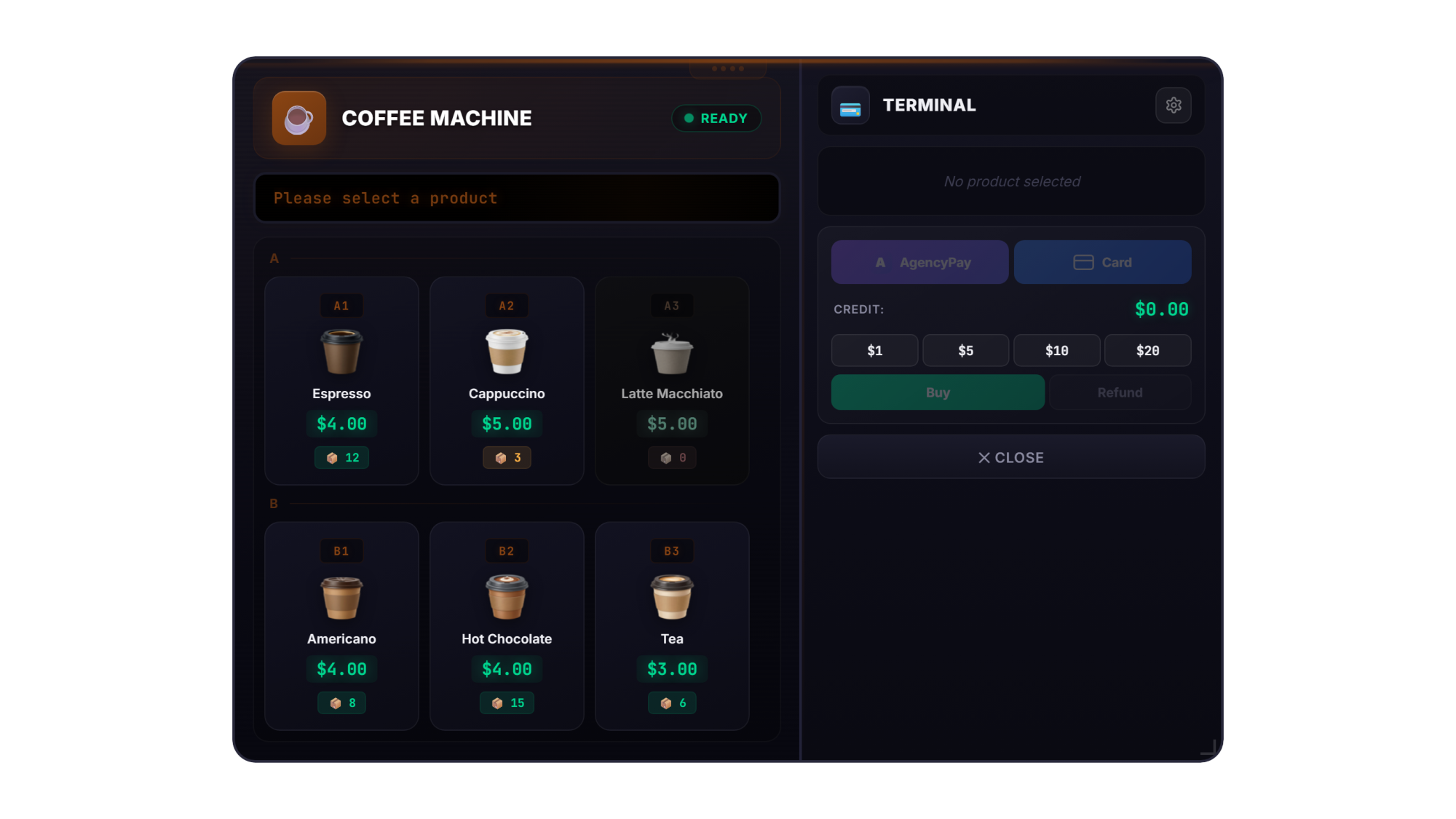
🥤 4 MACHINE TYPES

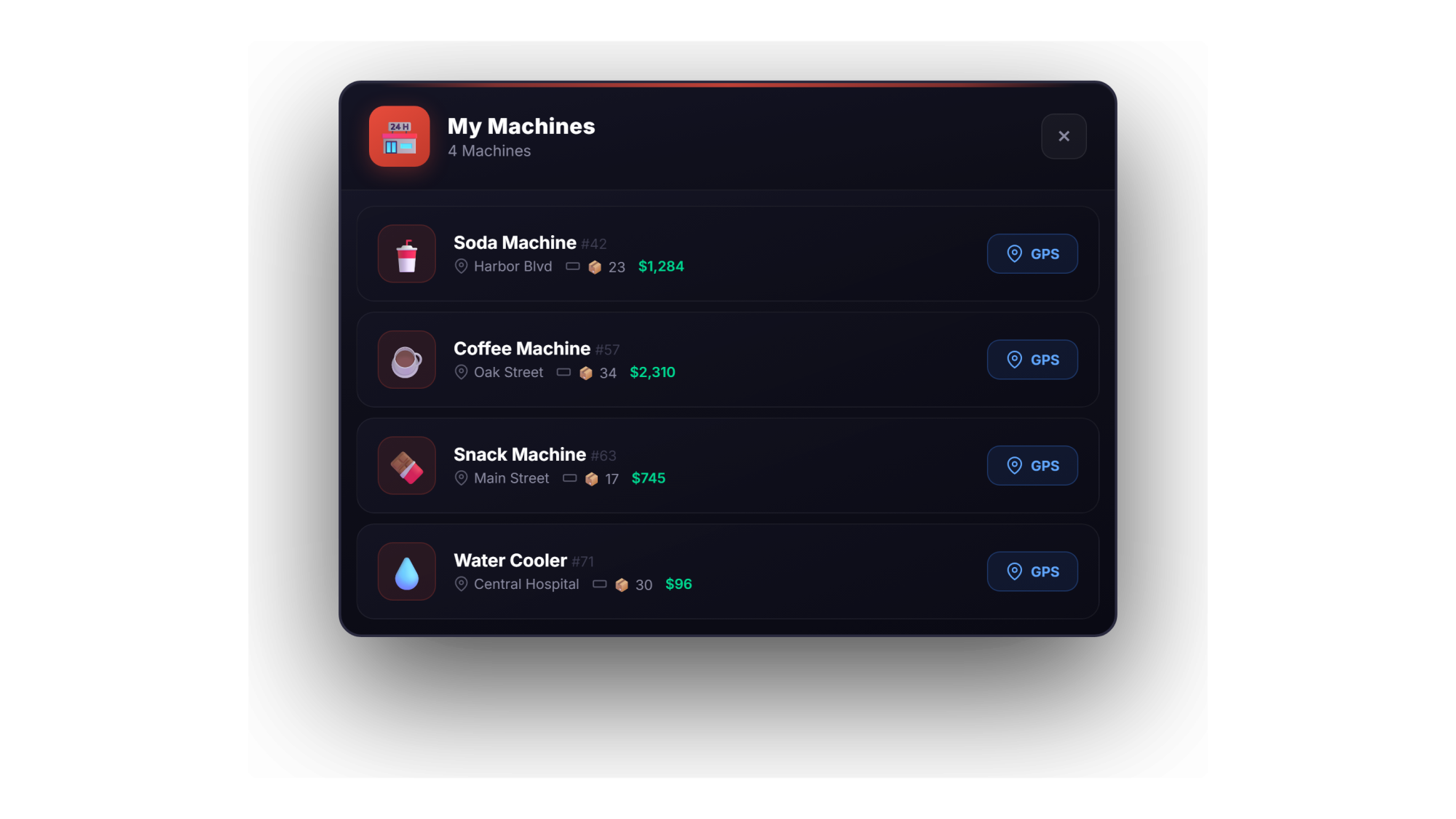
Soda Machines, Coffee Machines, Snack Machines & Water Coolers — each with unique colors, icons, and products. Fully configurable in config.lua.

🔍 AUTO-DETECT GTA PROPS

Automatically detects all GTA V vending machine props in the world. No manual placement needed — just install and play.

🛠️ ADMIN SPAWNER

Place, rotate & delete machines anywhere in the world via in-game command. Persistent via MySQL — survives restarts.

🖥️ MODERN NUI DESIGN

Glassmorphism UI with machine-type-specific theming, smooth animations, numpad selection (A1, B3...), row grouping, and custom sound effects.

↔️ DRAG, RESIZE & SAVE

UI is freely movable and resizable. Compact & Wide mode switchable via settings. Position, size and mode saved per player in localStorage.

💳 DUAL PAYMENT SYSTEM

Cash credit system ($1, $5, $10, $20 deposits with refund) AND AgencyPay card payment via Agency Phone integration. Optional card fee in %.

🏪 PLAYER-OWNED MACHINES

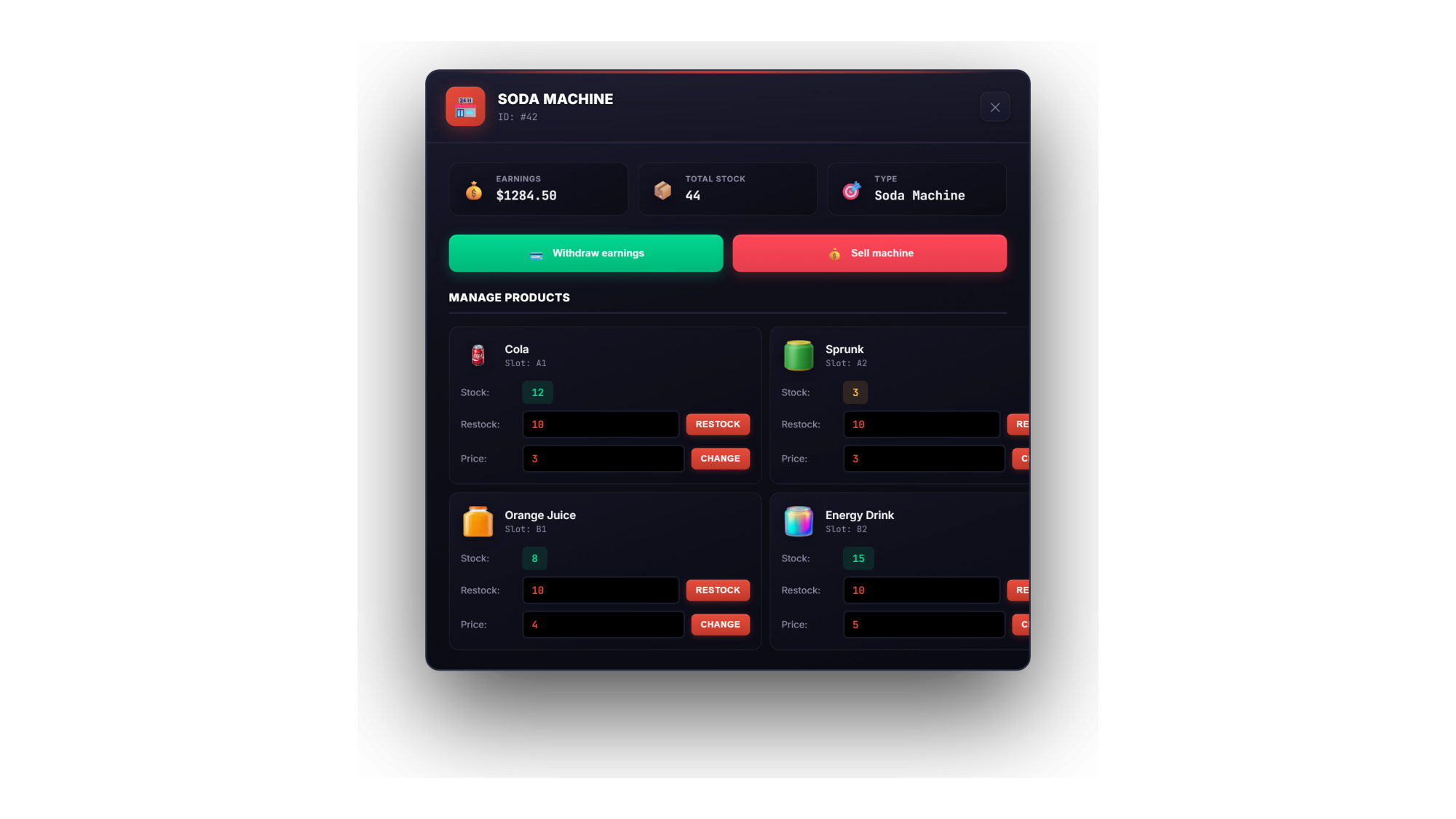
Players can purchase, own & manage vending machines. Restock items, adjust prices (configurable min/max %), withdraw earnings, sell machines. 3 ownership modes: Hybrid, Restricted or None.

📈 PROFIT & PAYOUT SYSTEM

Automatic or manual payout of machine earnings. Configurable payout interval. Full management menu with stock, prices, earnings overview & GPS marker.

🎬 IMMERSIVE ANIMATIONS

Purchase animation — player walks to machine and presses button. Pickup animation — product picked up from the ground. Authentic GTA vending sound on dispensing.

🔔 CUSTOM UI SOUNDS

Modern sine-wave sound design with soft attacks, lowpass filters and smooth envelopes. Button press, selection, purchase, error, dispense — all custom crafted.

🌍 13 LANGUAGES INCLUDED

English, German, French, Spanish, Portuguese, Italian, Dutch, Polish, Turkish, Czech, Romanian, Russian, Swedish — fully translated including UI, notifications & machine labels.

🎯 TARGET SYSTEM SUPPORT

Optional ox_target & qb-target integration. Use with target or classic 3D text + E key — configurable.

📍 CUSTOM LOCATIONS

Define custom machine positions in config.lua. These exist in addition to the auto-detected GTA props.

━━━━━━━━━━━━━━━━━━━━━━━━━━━

📋 ADDITIONAL DETAILS

━━━━━━━━━━━━━━━━━━━━━━━━━━━

✓ 4 machine types with 21 products included

✓ Automatic GTA V vending prop detection

✓ Admin spawner with placement, rotation & deletion

✓ Cash & card payment with configurable fee

✓ Quantity picker for bulk purchases

✓ Player ownership with stock, pricing & earnings

✓ 3 ownership modes: Hybrid, Restricted, None

✓ Automatic or manual profit payout

✓ Compact & Wide UI mode with drag, resize & save

✓ Numpad slot selection (A1, B2, C3...) or click

✓ Row grouping with scroll support

✓ Purchase & pickup animations

✓ Authentic GTA vending dispense sound

✓ Modern Web Audio API sound design

✓ Dispense overlay animation

✓ AgencyPay processing overlay with phone animation

✓ 20 inventory images included (128x128px)

✓ Item definitions for ESX, QBCore & ox_inventory included

✓ ACE permissions for admin spawner

✓ Configurable interaction distance & UI position

✓ Lightweight & optimized — 0.00ms idle

━━━━━━━━━━━━━━━━━━━━━━━━━━━

📦 DEPENDENCIES

━━━━━━━━━━━━━━━━━━━━━━━━━━━

[REQUIRED] oxmysql — Database storage for player machines & spawned props

[OPTIONAL] QBCore / ESX — Auto-detected, also works standalone

[OPTIONAL] ox_target / qb-target — Target system integration

[OPTIONAL] Agency Phone — AgencyPay card payment

━━━━━━━━━━━━━━━━━━━━━━━━━━━

🚀 INSTALLATION

━━━━━━━━━━━━━━━━━━━━━━━━━━━

  1. Drag "agency-vending" into your resources folder

  2. Import installation/database.sql into your database

  3. Register items for your framework (ESX/QBCore/ox_inventory)

  4. Copy inventory images to your inventory resource

  5. Add "ensure agency-vending" to your server.cfg

  6. Configure config.lua to your liking

  7. Start your server and enjoy!

━━━━━━━━━━━━━━━━━━━━━━━━━━━

💬 SUPPORT

━━━━━━━━━━━━━━━━━━━━━━━━━━━

Need help? Join our Discord for fast support and updates.

https://discord.gg/ARfQgMDbkg

━━━━━━━━━━━━━━━━━━━━━━━━━━━

Agency Scripts — Premium FiveM Resources


Back to category